 Voiceturi
Build your own exercise
in 10 seconds.
Tap the notes, pick a scale, sing a melody or drop in a MIDI file. The app turns it into an exercise you can practise straight away.
- Runs in your browser
- No account needed
- Mic audio stays on your device
For your voice
- Scale practice: 15 shapes (major, the minors, pentatonics, blues, the modes, chromatic, a major triad, fifths, fourths, octave jumps) from any of the 12 roots, up or down, at your tempo.
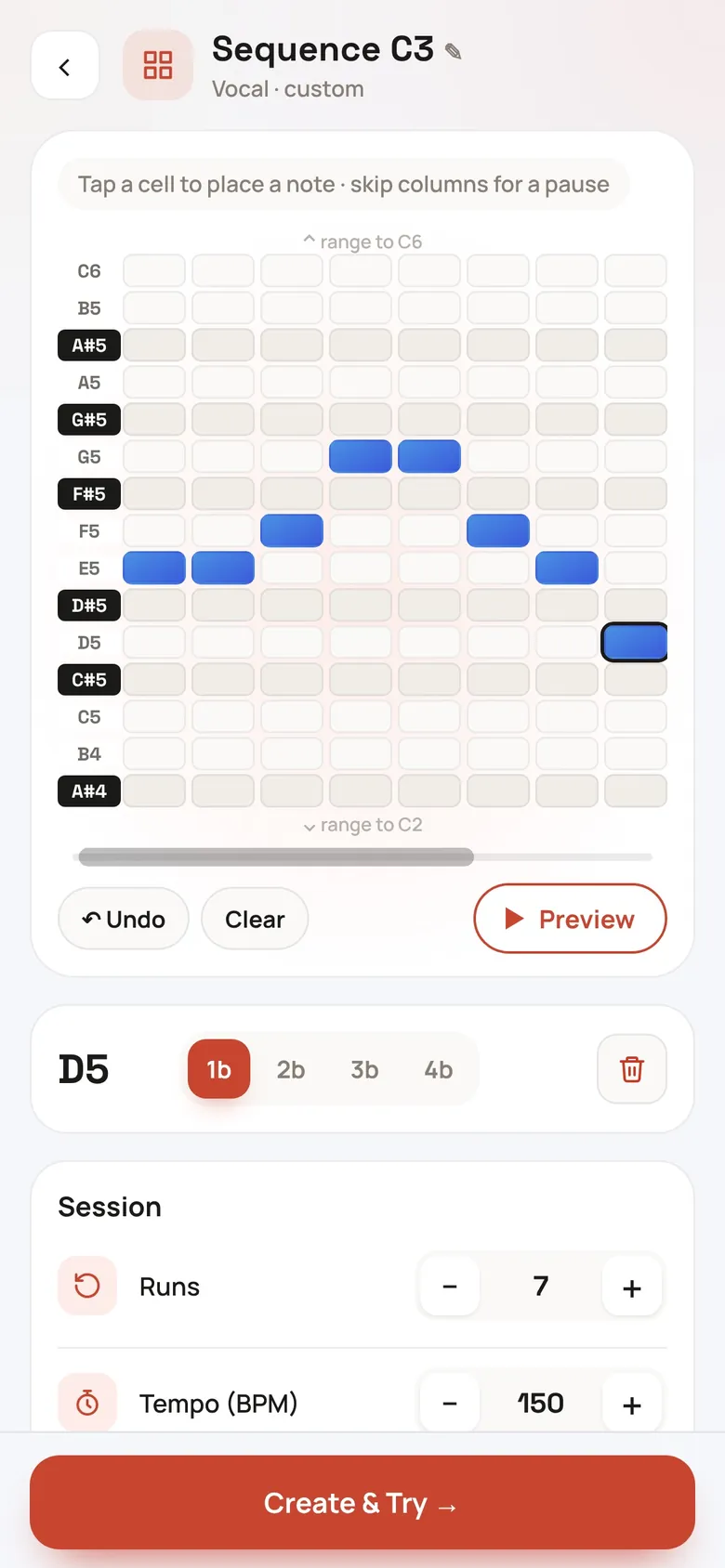
- Sequence builder: a grid like a piano roll. Tap a cell to place a note, give it 1 to 4 beats, skip a column for a pause.
- Record a melody: sing after a 4-beat count-in and the app writes the notes down, snapped to the beat. Tap any note to fix it.
Hit Create & Try and the app listens while you sing it, showing which notes landed.
For your breath
- Box: four equal phases (in, hold, out, hold) with your seconds per side and your number of cycles.
- Farinelli: in, hold and out for the same count, and every cycle each phase gets longer by the step you choose.
- Blocks: S, SH, F, Ha and more, each a block of exhale on the beat, or type your own syllable.
Before you start, every drill shows its total time.
For piano and guitar
- Scale: any scale from any root.
- Sequence: tap the keys of a keyboard, or the exact string and fret on a guitar, so the tab comes out the way you play it.
- From MIDI: import a .mid file. The melody, the chords and the rhythm come in as a play-along.
Create & play turns it into a play-along with notation (and tab on guitar), the keys or frets lighting up as each note plays, at your tempo.
How it works
Pick what to build
A scale, a sequence, a recorded melody, a breathing drill or a MIDI file.
Preview it
Hear it before you save, and change anything you want.
Create & practise
It is saved under My exercises, ready every day.
Questions
Is the exercise builder free?
Your first exercise on each instrument (voice, piano, guitar) is free to build and practise, with no account. Building more needs a paid plan.
Does the app listen while I practise?
For singing, yes: it shows which notes you hit. For piano, “Test yourself” listens through the microphone. Guitar exercises are play-along.
Can I share an exercise with my students?
Yes. Put your exercises in a pack and share it as a QR code, a file or a code; the other person imports it. Your first pack is free.
Is my voice recorded?
No. Even in “Record a melody” the pitch is worked out on your device and the sound is thrown away.