 Voiceturi
A metronome
that just works.
Set the tempo, press Start, play along. Tap the beat to find the speed of a song, and let the accent on beat 1 show you where each bar begins.
- Runs in your browser
- No account needed
- Mic audio stays on your device
Metronome
Allegro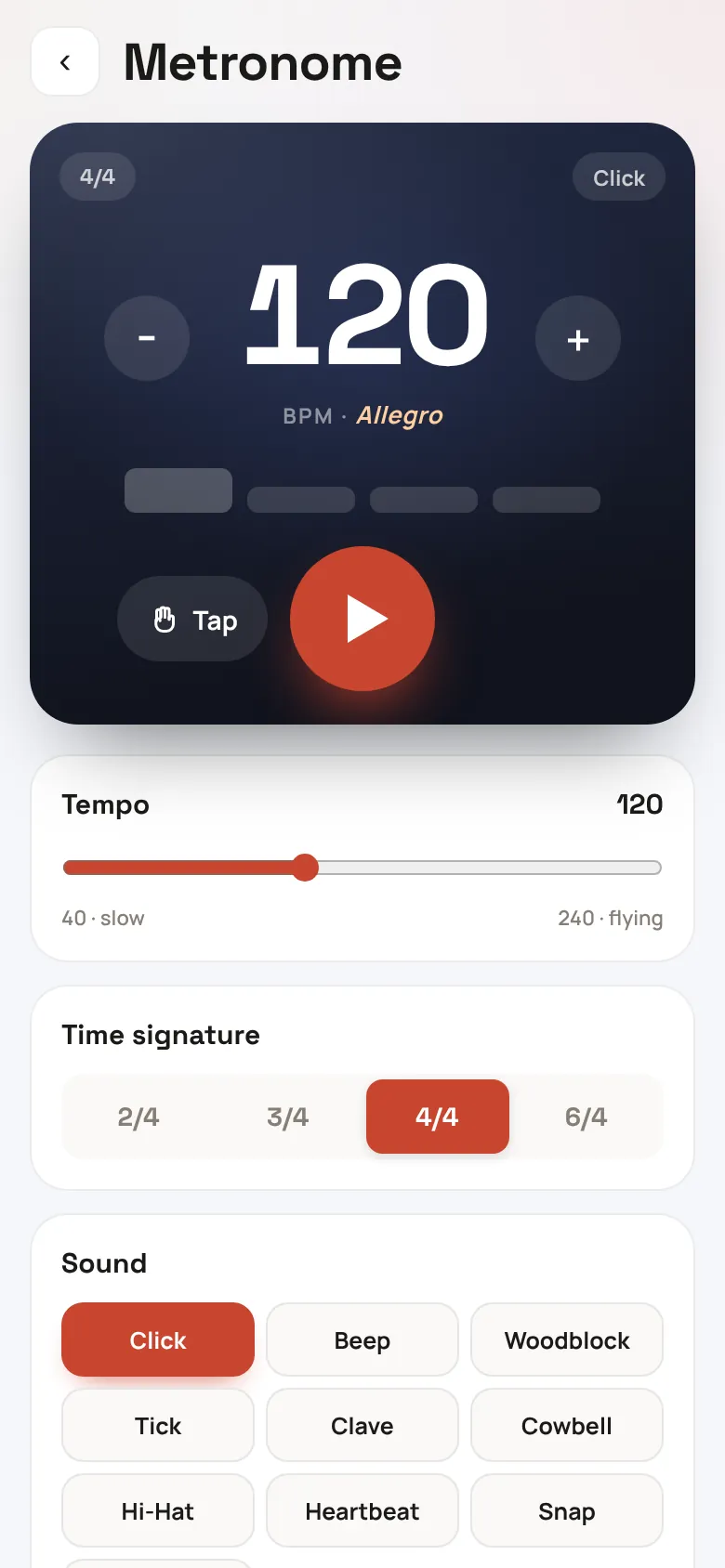
How to use it
- Set the tempo with the slider, the − and + buttons, or by tapping.
- Press Start, or press Space on a computer keyboard.
- Tap tempo: tap the button on the beat four or five times and the metronome sets itself to that speed. Pause for two seconds to start over.
- Beats per bar: 2 for a march, 3 for a waltz, 4 for most pop and rock, up to 7.
- Accent beat 1: the first beat of each bar clicks higher, so you always hear where the bar starts.
- Clicks per beat: 2 for eighth notes, 3 for triplets, 4 for sixteenths. The extra clicks are quieter, so the beat still stands out.
- Sound: a click, a wood block, a beep or a hi-hat, with a volume of its own.
- Speed trainer: tick it and the tempo rises by 4 BPM every 4 bars, up to 240. Start slower than you can play it and let the metronome pull you up.
Tempo words and what they mean
The word under the number is the traditional Italian tempo marking for that speed:
| Tempo word | Speed |
|---|---|
| Largo | 30–59 BPM |
| Adagio | 60–75 BPM |
| Andante | 76–107 BPM |
| Moderato | 108–119 BPM |
| Allegro | 120–167 BPM |
| Presto | 168–240 BPM |
Composers still write these words at the top of a piece. They are a range, not a number: a lively Allegro can sit anywhere in its band.
How to practise with a metronome
- Start slow enough to play it clean. Speed comes from clean repetitions, not from rushing.
- Add a few BPM only when you have played it right several times in a row.
- Practise the hard bar alone at a slower tempo, then put it back into the piece.
- Stay on the click. Listen to where your notes land against it. Ahead or behind is information: say which, and fix that.
- Take it down when you hit a wall. A slower tempo is not a step back.
Choosing a tempo
If you know the song, tap along to a recording to find its tempo and practise at three quarters of that speed first. If you are learning a new exercise, start at 60 BPM, where each beat is one second. Most beginners play a piece better at 60 than at 90.
For singers, pianists and guitarists
Singers use a metronome to keep scales and rhythms even, pianists to hold both hands to one pulse, guitarists to make strumming and picking steady. Voiceturi’s exercises have their own tempo control, and the guitar lessons use a play-along at slow, normal and fast speeds. Guitar tuner · Online piano keyboard.
How it works
Set the tempo
Slider, − and +, or tap the beat.
Pick the bar
2 to 7 beats, with an accent on beat 1 if you like.
Press Start
Or press Space. Play along.
Questions
Is this metronome free?
Yes. It runs in your browser, with no account and no download.
What tempo range does it cover?
30 to 240 beats per minute, in steps of one.
Does it keep time if I switch tabs?
It stops when the page is hidden, so it does not click in the background. Press Start when you come back.
How does tap tempo work?
Tap the button on the beat. It averages your last few taps and sets the tempo. A pause of two seconds starts a new measurement.
Is there a metronome in the app too?
Yes, next to a tuner with a guitar and a voice mode, a library of exercises and ear training.
Does it make a sound on my phone?
Yes, once you press Start. If you hear nothing, check that the phone is not on silent and the volume is up.